
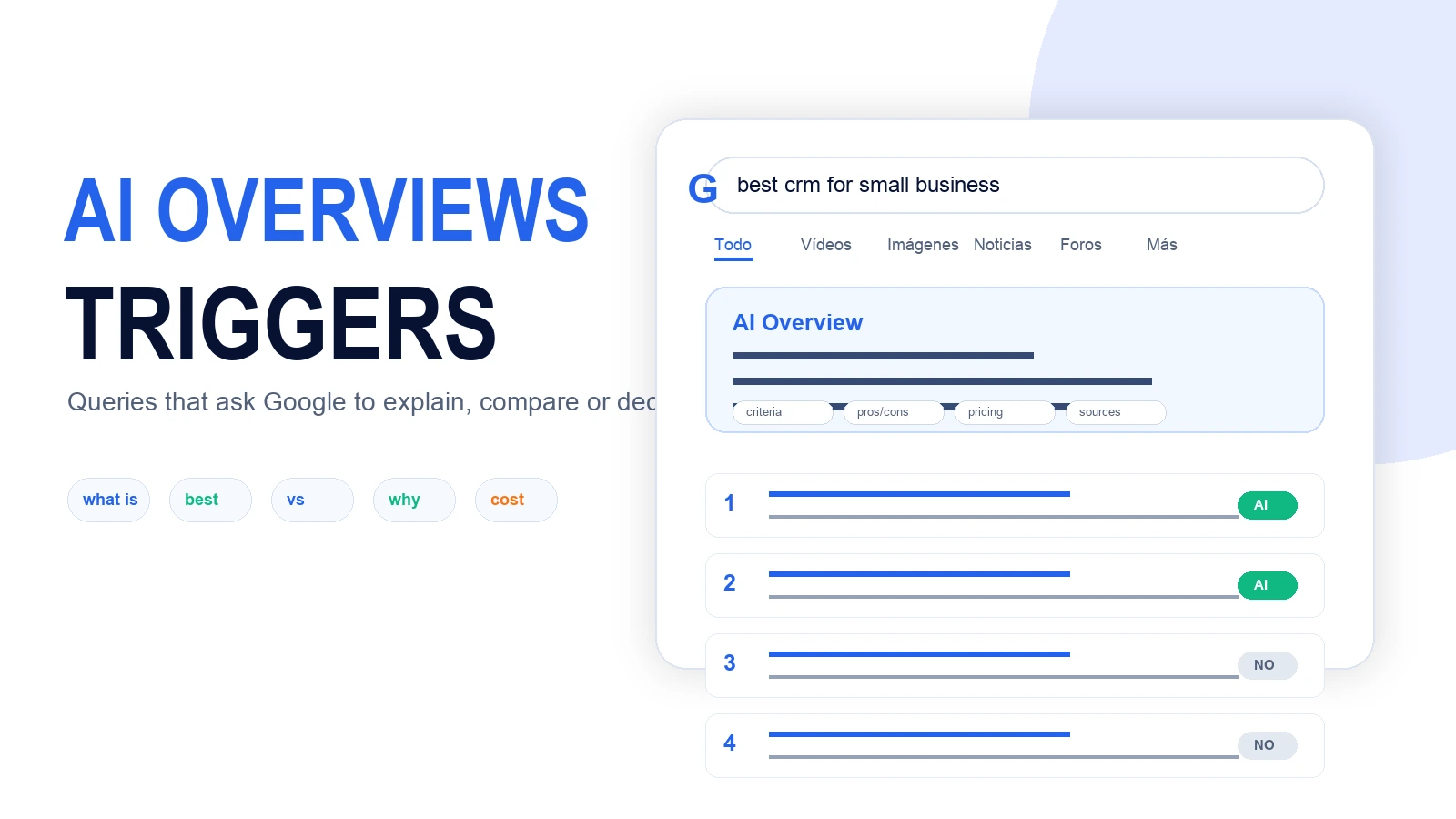
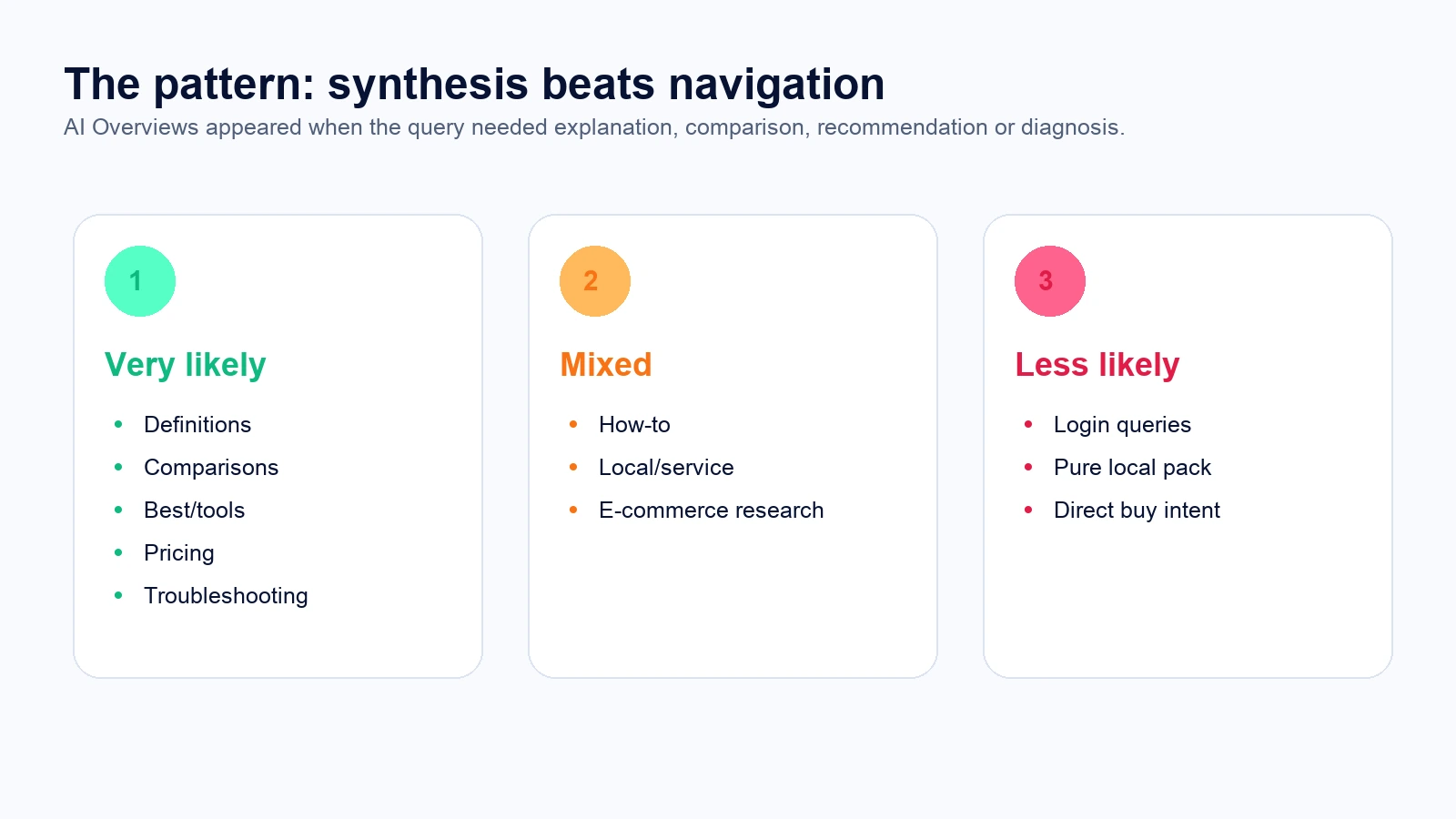
Not every keyword is equally likely to trigger AI Overviews. In our experiment, searches asking for synthesis, comparison, recommendation or diagnosis triggered AI Overviews far more often than purely navigational or direct-buy queries.
To test this, we analyzed 40 English-language searches in Wisseo Keyword Research, set to United States, English and desktop. The goal was not to measure “all of Google,” but to find practical patterns that help decide which content should be prepared for AI Overview visibility.
Experiment summary
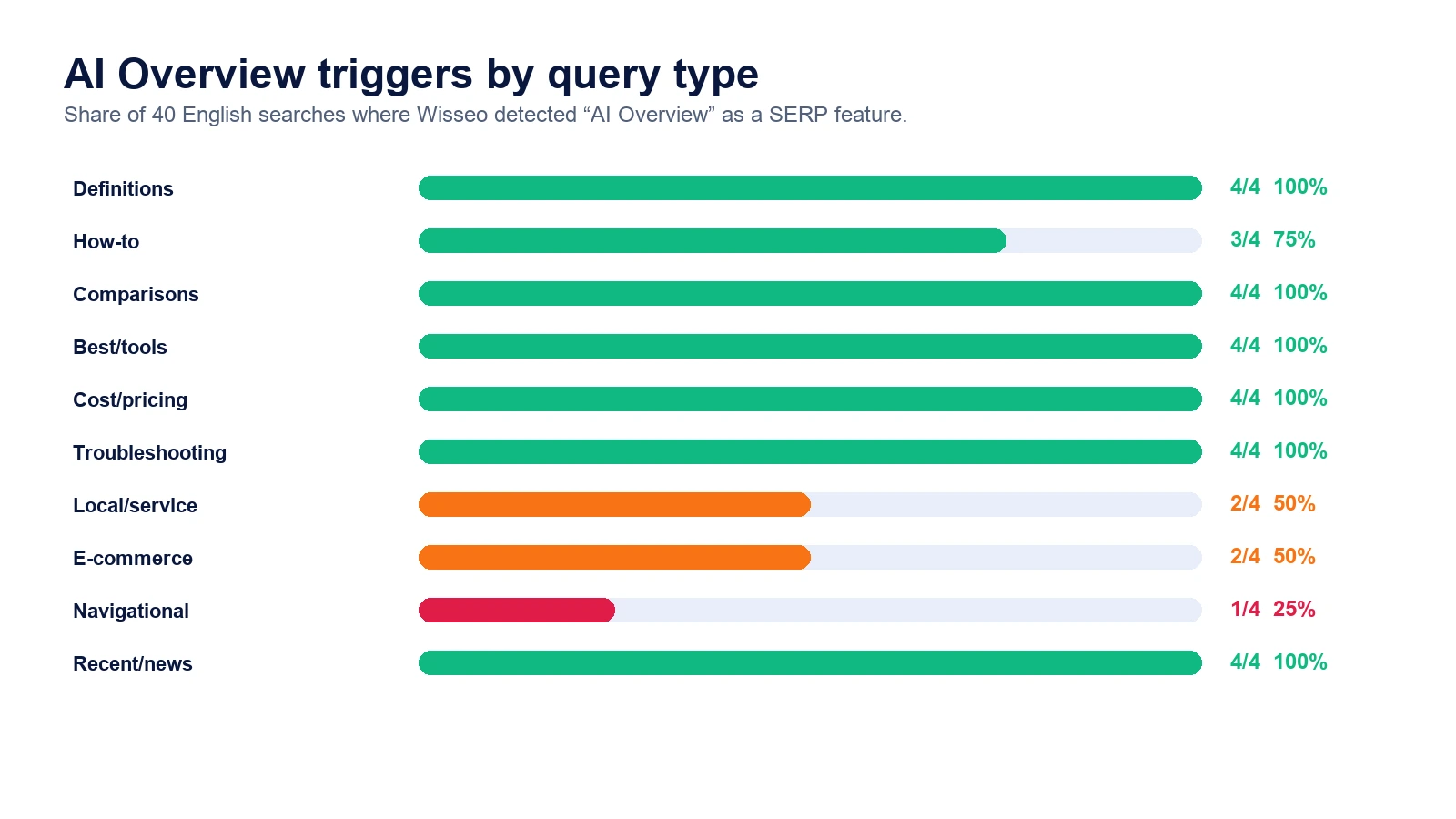
The pattern was clear: definition, comparison, recommendation, pricing, troubleshooting and recent-news queries triggered AI Overview in 100% of cases in this sample. Local, e-commerce and navigational queries were more mixed.
| Query type | With AI Overview | Rate |
|---|---|---|
| Definitions | 4/4 | 100% |
| How-to | 3/4 | 75% |
| Comparisons | 4/4 | 100% |
| Best/tools | 4/4 | 100% |
| Cost/pricing | 4/4 | 100% |
| Troubleshooting | 4/4 | 100% |
| Local/service | 2/4 | 50% |
| E-commerce | 2/4 | 50% |
| Navigational | 1/4 | 25% |
| Recent/news | 4/4 | 100% |
What separates an AI Overview keyword from a non-AI keyword
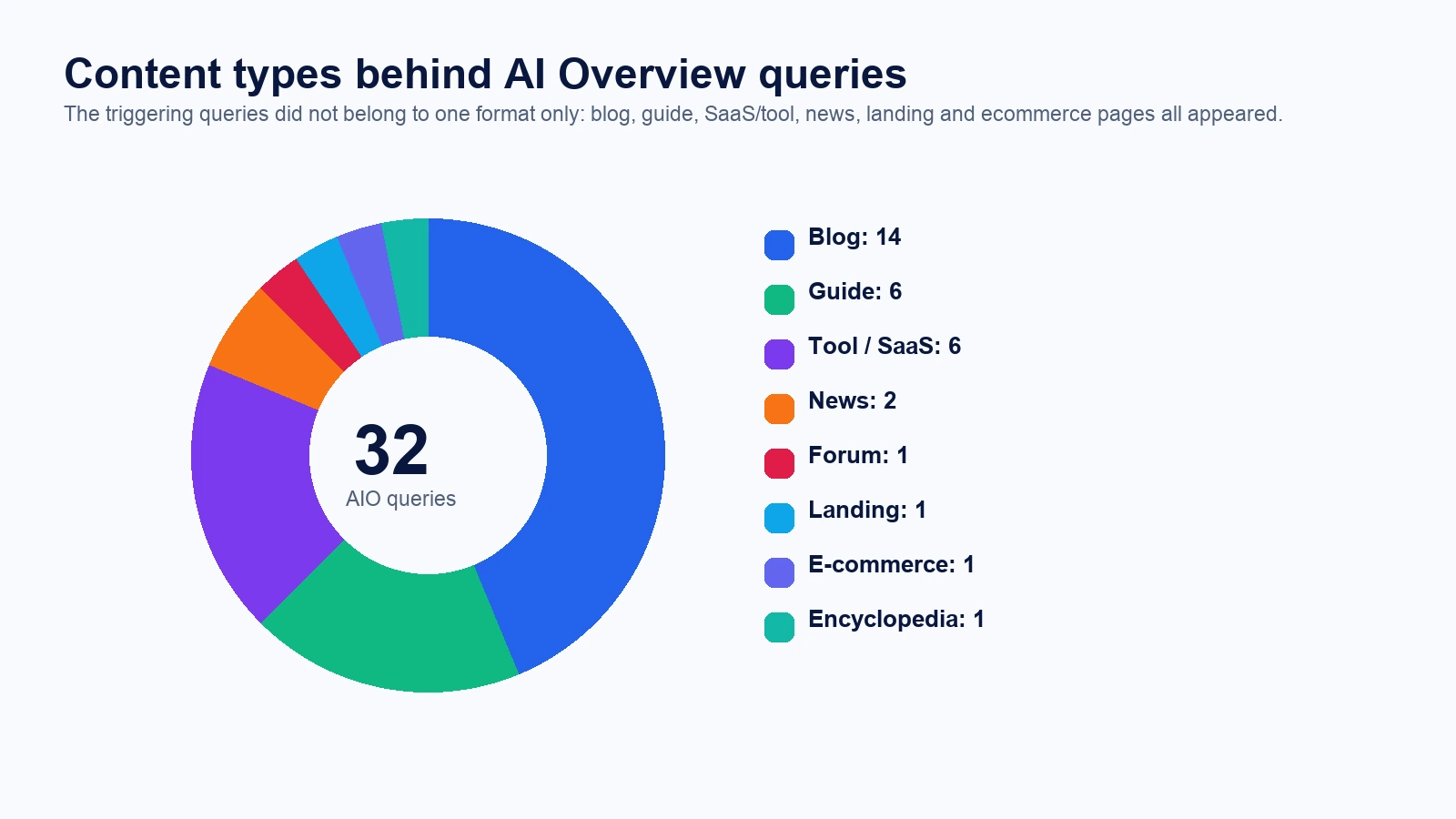
The difference was not just search volume. Some low-volume searches triggered AI Overview, while some high-volume searches did not. The strongest signal was the task the user was asking Google to perform.
The query asks Google to organize information: compare options, explain causes, estimate costs, summarize something new or choose between alternatives.
The query points to a direct action: enter a tool, buy a specific product or find an immediate local result.


Keyword types most likely to trigger AI Overviews
1. Definitions and concepts
Queries such as “what is technical seo” and “what is schema markup” triggered AI Overview. They fit a synthetic answer well: definition, explanation, examples and next steps.
2. Comparisons
“X vs Y” searches triggered AI Overview across the sample. Google can summarize differences, pros, cons and decision criteria without forcing the user to open ten results.
3. “Best” recommendations
“Best SEO tools,” “best CRM” and similar searches also triggered AI Overview. These are commercial research queries: the user is not ready to buy yet, but needs a shortlist and criteria.
4. Cost and pricing
Pricing queries triggered AI Overview in all four cases. That makes sense: the user wants ranges, variables and context, not just a sales page.
5. Diagnosis and problems
Questions such as “why did my organic traffic drop” and “why are my pages not indexed” also triggered AI Overview. These queries ask for likely causes, not a single answer.
Keyword types less likely to trigger AI Overviews
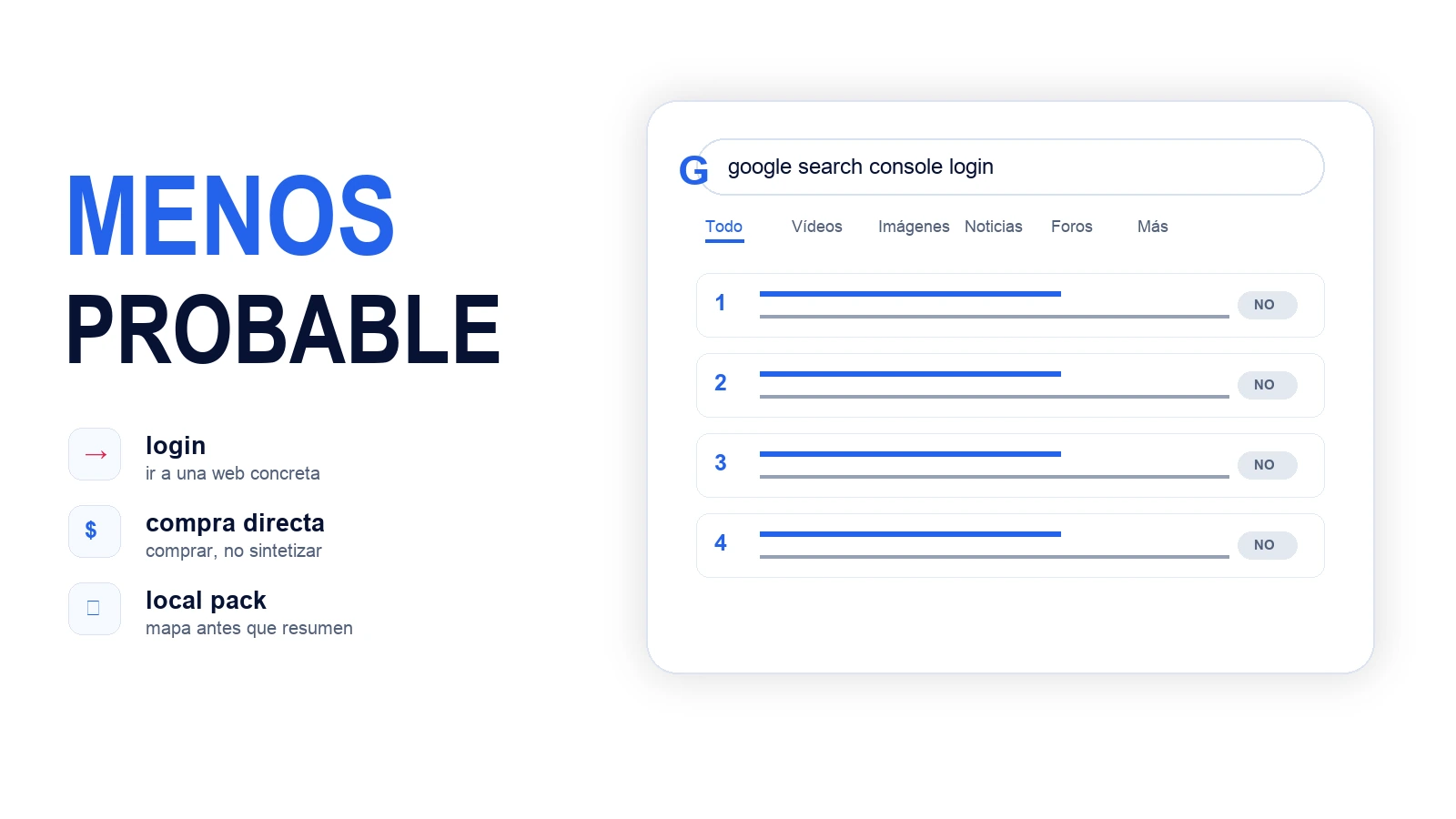
Pure navigational searches were the weakest. “Google Search Console login,” “Ahrefs login” and “HubSpot CRM login” did not trigger AI Overview. Google understands that the user wants to reach a specific website, not read a synthesis.
We also saw weaker presence in direct-buy and strong local-intent searches. “Buy running shoes online” did not trigger AI Overview, and “best plumber near me” showed a Local Pack, not AI Overview. In these cases, the useful result is usually a store, map, listing or specific URL.

How to prioritize content for AI Overviews
A practical way to use the study is to split keywords into three groups. First, the queries that deserve synthesis-ready content: definitions, comparisons, costs, “best” searches and problems. Second, mixed queries where you should inspect the SERP before deciding: local, informational e-commerce and generic how-to searches. Third, weak AI Overview candidates: navigation, login, direct purchase and searches where the map dominates.
For the first group, the page should include a short answer, criteria, comparison table, exceptions, steps and clear sources. For the second, decide based on the dominant SERP format. For the third, focus more on UX, conversion, local listing quality or fast access than on creating a long explanatory article.
How to use this in SEO
Comparisons, costs, “best” searches and troubleshooting are strong candidates for structured, citable and easy-to-summarize content.
A login or direct-buy keyword needs UX and conversion. A synthesis keyword needs entities, criteria, tables and clear answers.
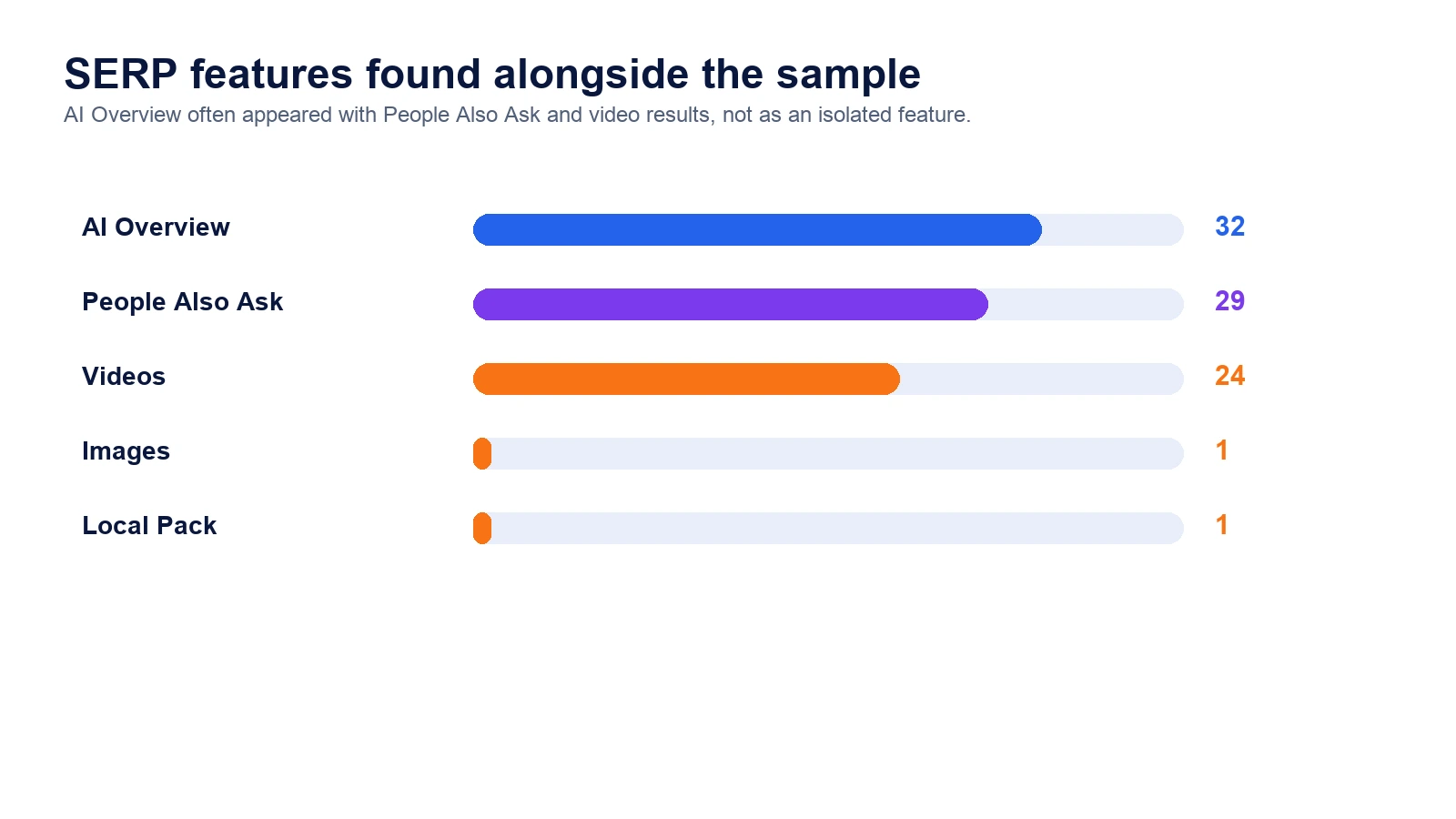
Do not track organic ranking only. Check whether the query triggers AI Overview, People Also Ask, video, Local Pack or shopping features.
Methodology and limitations
Sample collected on June 29, 2026 with Wisseo Keyword Research. Settings: United States, English, desktop, Quick analysis. We analyzed 40 English-language searches grouped into 10 categories. We recorded whether Wisseo detected “AI Overview” among SERP features. This is a dated snapshot: AI Overviews may vary by location, account, personalization, device, freshness and Google system changes. During preparation we attempted direct automated Google searches, but Google returned an anti-bot page; therefore direct Google scraping was not used.
The full sample is summarized in the article table. The CSV and methodology are archived internally at Wisseo for future updates.
Conclusion
The keywords most likely to trigger AI Overviews are not just “informational.” They are queries where the user needs someone to organize scattered information: define, compare, choose, diagnose, estimate costs or understand something new.
If your content only repeats a definition, it is probably not enough. If it organizes criteria, cases, exceptions, data, steps and limits, it has a better chance of being useful both for users and AI systems.