
Keyword mapping SEO is not a template for distributing keywords. It is the system that decides which URL deserves to rank for each search intent.
The simple version says: group keywords, assign them to pages and move on. In practice, the hard part comes next: a keyword looks small but converts; two keywords look similar but the SERP shows different formats; a page already ranks, but it is not the page that should capture that traffic.
So this guide is not about creating more URLs. It is about creating less ambiguity. By the end, you should be able to look at any keyword and decide whether it deserves its own page, should strengthen an existing page or reveals cannibalization that needs consolidation.
Tool: keyword mapping priorityDecide whether a keyword belongs on a new URL, an existing page or a merge.Open tool
Cluster inputs
Map to an existing URL
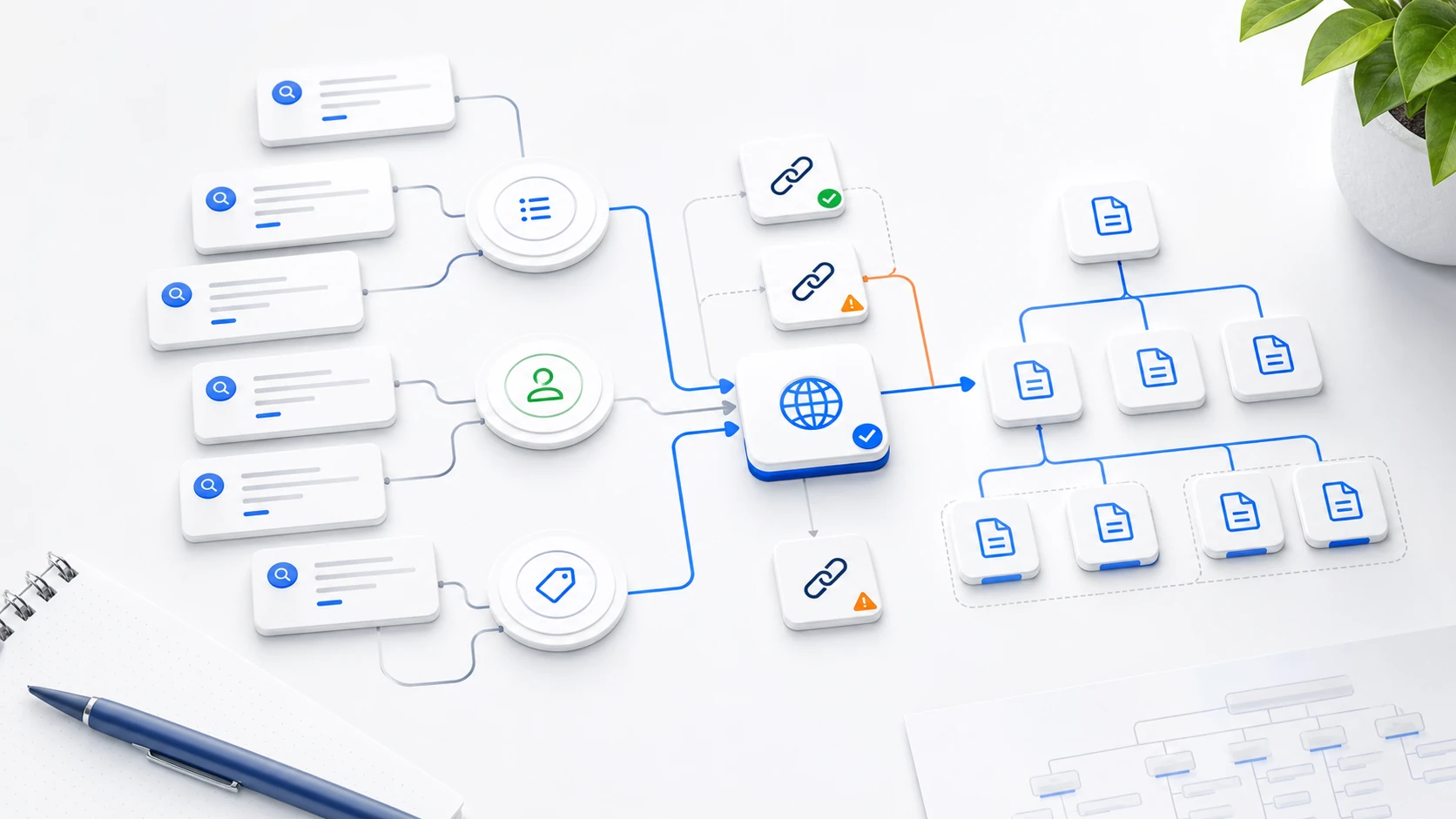
The right question is: “which intent should this URL own, and which other URLs should not compete with it?” That changes architecture, internal links and how you interpret Search Console.
What keyword mapping means in SEO
Keyword mapping means assigning every keyword or keyword group to a target URL. It does not mean creating a page for every search. It means deciding which page should answer each intent, how deep the answer should be, which format it needs and how internal links should support it.
The real unit is not the exact keyword. It is the intent cluster. If ten searches express the same need, they should usually strengthen one URL. If two searches look similar but require different solutions, they may need separate pages.
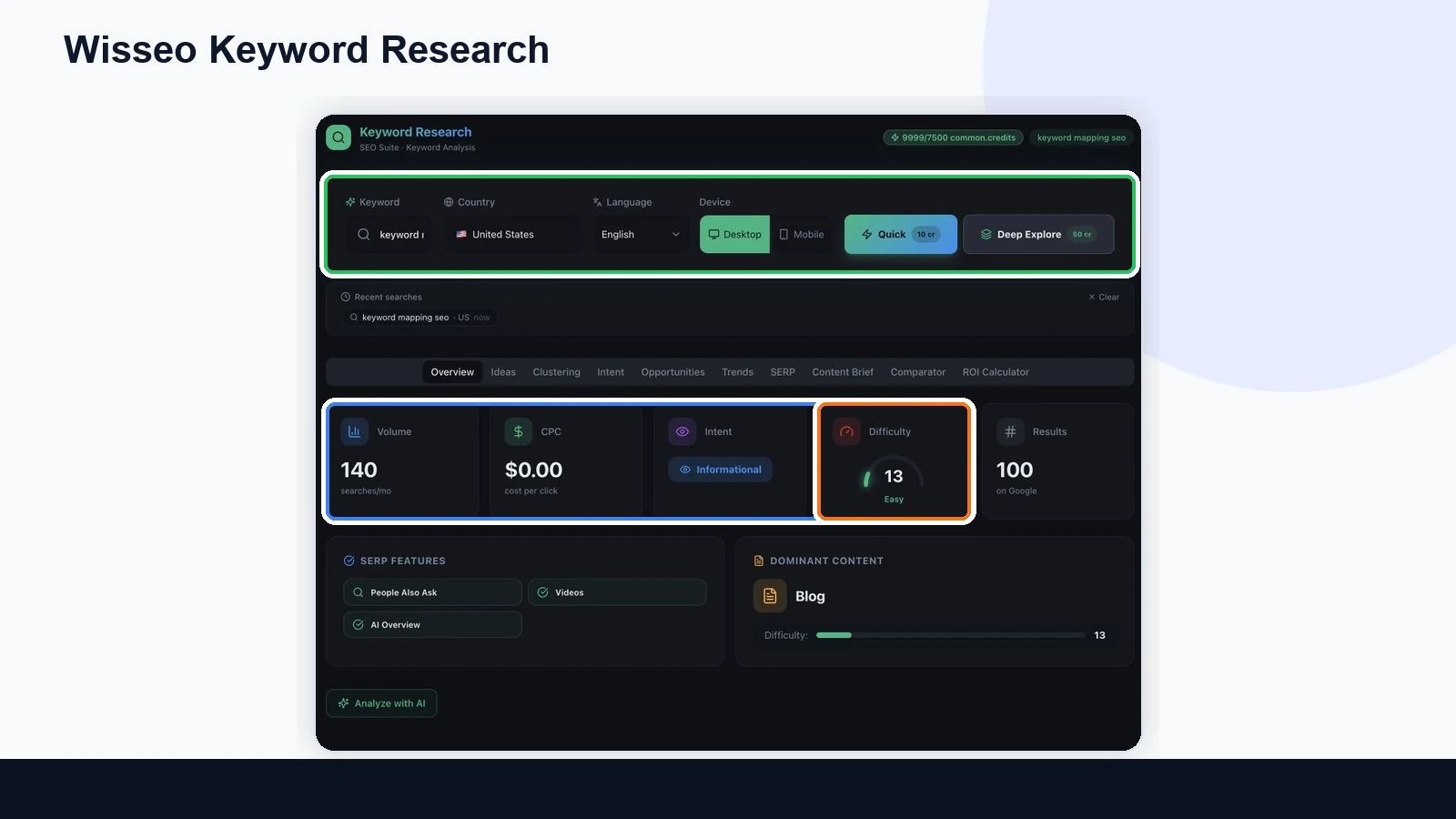
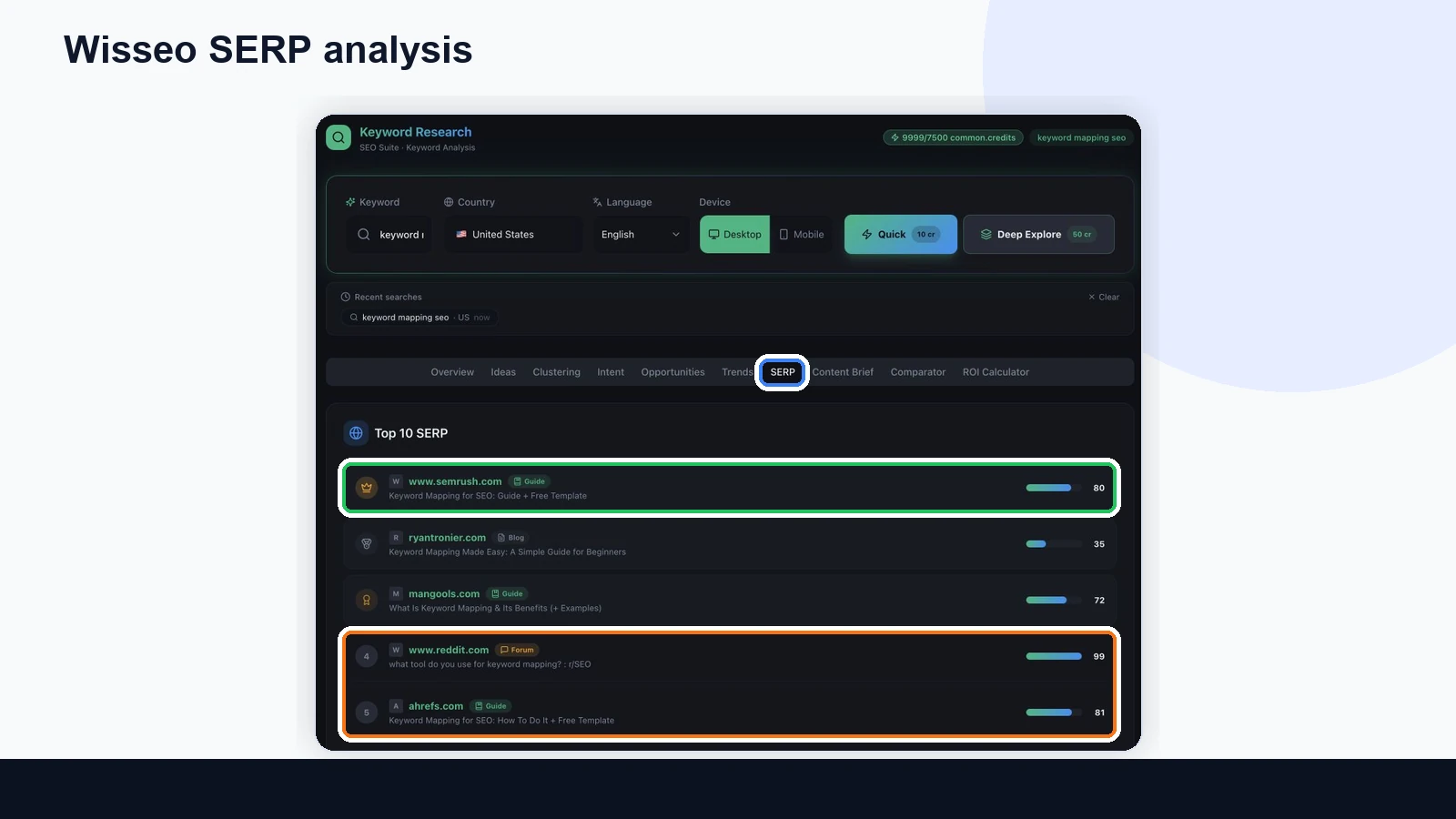
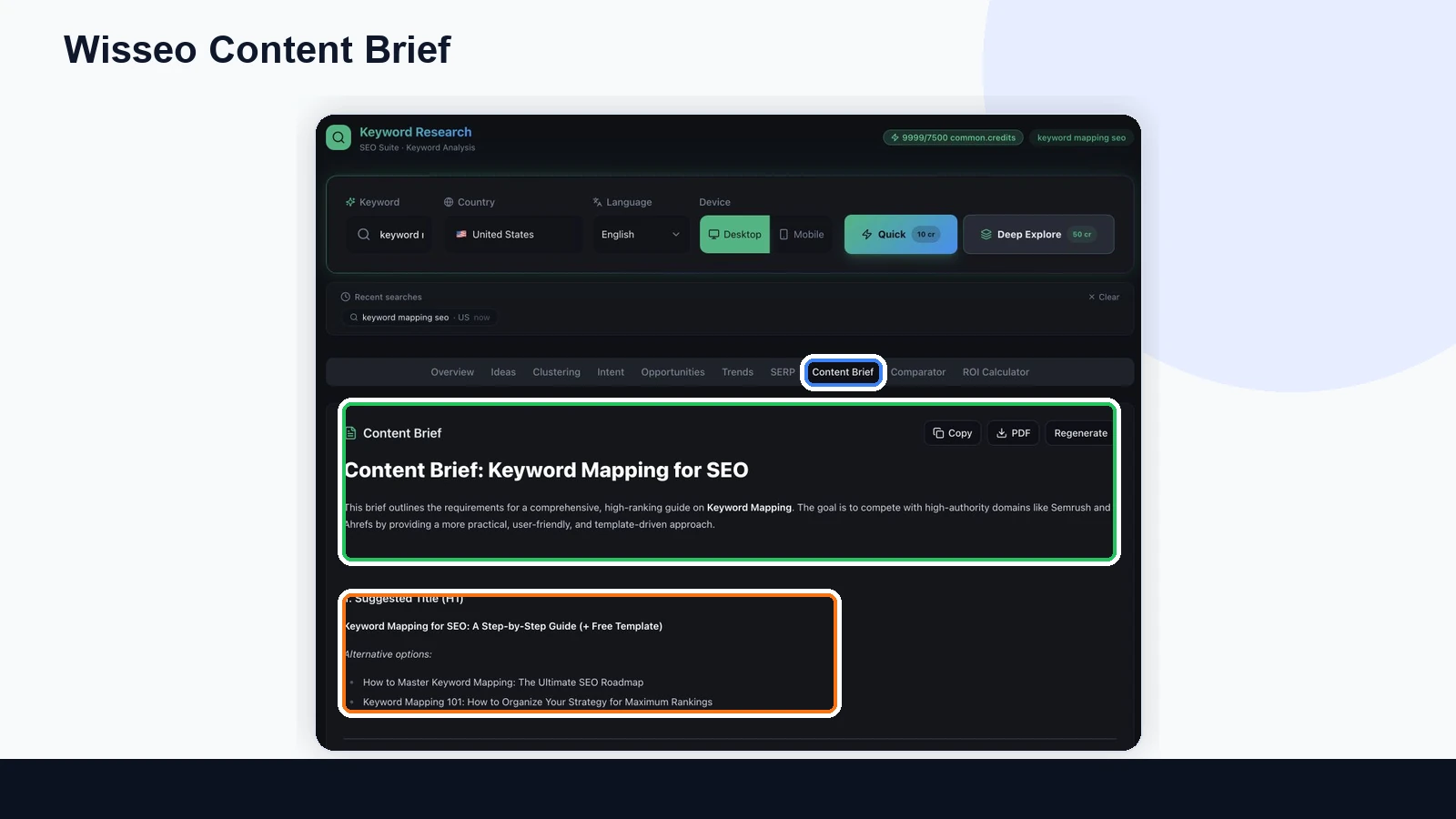
How to read the Wisseo screenshots before mapping
The screenshots are not decorative. Each view answers a different mapping question.
Confirms volume, difficulty, intent and features. If the SERP triggers AI Overview, videos or People Also Ask, the content needs to answer sub-questions, not just repeat the keyword.
Shows which URL type is winning: guide, tool, category, comparison or commercial page. If the dominant format does not match your plan, change the decision.
Turns the decision into structure: H2s, questions, entities and depth. But it works best after you know which URL will own the cluster.
Keyword mapping vs keyword clustering
Keyword clustering groups similar searches. Keyword mapping decides what to do with those groups. Clustering answers “which keywords belong together.” Mapping answers “which URL should own this group and what role it plays in the site.”
When intent, SERP and business value are distinct.
When an existing page already covers part of the intent.
When two or more pages compete for the same intent.
Real example: own page, section or merge
The common mistake is deciding by volume. The map should decide by intent, SERP format and business role. A low-volume keyword may deserve its own page if it opens a profitable category; a high-volume keyword may only be a section if it does not change the main intent.
| Cluster | Intent | Decision | Reason |
|---|---|---|---|
| keyword mapping SEO / keyword map SEO | Learn process and template | One main guide | The intent is the same; signals should concentrate on one strong URL. |
| keyword clustering tool | Find or compare a tool | Separate page | The SERP and expectation are more commercial or product-led. |
| keyword cannibalization | Diagnose a problem | Support article linked to the guide | It is related, but not the same promise as mapping keywords. |
| SEO architecture / website architecture SEO | Design the full site structure | Own guide | It has a broader intent than keyword mapping. |
Advanced rules that prevent useless pages
If the SERP mixes guide, tool and service, you may need a hub and child pages. Do not force everything into one URL.
If Google shows the same URLs for two keywords, they probably share one intent. Strengthen one page.
Do not create a new page immediately. Adjust title, sections and internal links to push the right URL.
A small keyword can deserve a URL if it captures intent close to purchase, demo, quote or diagnosis.
How to know the map is failing
Cannibalization does not always look like two pages fighting for the exact same keyword. Sometimes it appears as ambiguity: Google does not know which URL to show, internal links point to several pages, or an informational guide captures queries that should land on a commercial page.
- Two URLs alternate positions for the same query group in Search Console.
- Impressions spread across several weak pages instead of concentrating on one strong page.
- Internal links use similar anchors pointing to different URLs.
- Google ranks an informational post for a query with commercial intent.
- A URL gets clicks from queries it does not answer well, which lowers conversion.
A 30-minute workflow with Wisseo and Search Console
You do not need to audit the whole site every time. For one decision, use a small repeatable workflow.
- Run Wisseo Keyword Research with the seed keyword and review intent, difficulty and features.
- Open the SERP and note the dominant format: guide, category, tool, comparison or commercial page.
- Decide the owner URL before generating the brief. The brief should serve the architecture, not create it randomly.
- Check in Search Console which URL already appears for that cluster over the last 28 complete days.
- Update internal links and anchors toward the owner URL. If overlap is strong, consolidate.
- Measure again at 28, 60 and 90 days: one URL should gain clarity, impressions and relevant queries.
How to build a keyword map step by step
1. Start with URLs, not keywords
Export your main URLs, service pages, categories, posts and landing pages. Then add metrics: organic traffic, impressions, conversions, internal links, update date and business goal.
2. Group keywords by intent
Do not group only by shared words. Group by the problem the searcher is trying to solve. “Keyword mapping SEO,” “SEO keyword mapping” and “keyword map SEO” probably belong in the same cluster. “Keyword clustering tool” may have a more tool-driven intent.
3. Assign an owning URL
Every cluster needs an owner URL. If none exists, decide whether to create it. If one exists but is weak, improve it. If several pages are candidates, choose the primary URL and define what happens to the rest.
4. Add internal links with intent
The map is useless if it does not change internal linking. Use descriptive anchors to the owning URL and avoid linking to two different pages with nearly identical anchors.
How to maintain the map with Search Console
A keyword map is not a static document. Review every month which queries each URL triggers. If Google starts showing the wrong URL for an important cluster, the map is warning you about a relevance, internal linking or cannibalization problem.
For a stronger workflow, connect this process with how to turn Search Console into a decision system and the guide on when a keyword deserves its own page or just a section.
Sources and references
This guide uses Wisseo Keyword Research data and external references from Google on helpful content and URL consolidation, plus resources from Semrush, Ahrefs and HubSpot on keyword mapping.
Conclusion
Keyword mapping SEO is not about filling a spreadsheet with thousands of keywords. It is about reducing ambiguity. Every cluster should have an owning URL, a clear intent, coherent internal links and a validation metric.
If a keyword makes you hesitate, do not start by asking whether you can write another article. Ask which URL should win, which URL should stop competing and which change would make that clearer to Google.